Power Browser is now on iPhone
Fast, private, and beautifully customizable — the Power Browser experience, built for iOS. Here's everything that landed in the latest update, plus a peek at what's coming next.
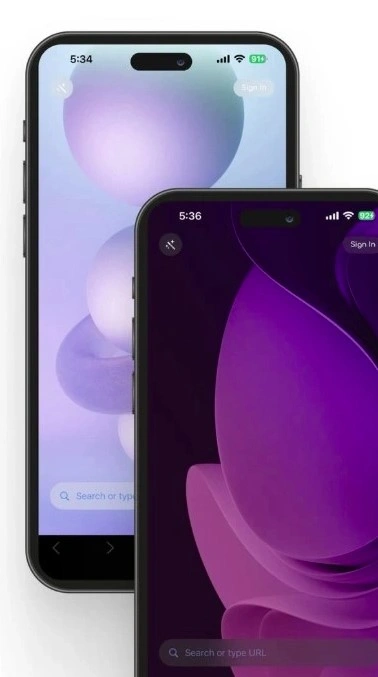
Light and Dark Mode support
Switch effortlessly between Light and Dark themes, or let Power Browser follow your system settings — comfortable browsing, day or night.
How to switch themes
- Open Power Browser and tap the menu icon.
- Tap Settings.
- Tap Appearance.
- Choose Light, Dark, or System Default.
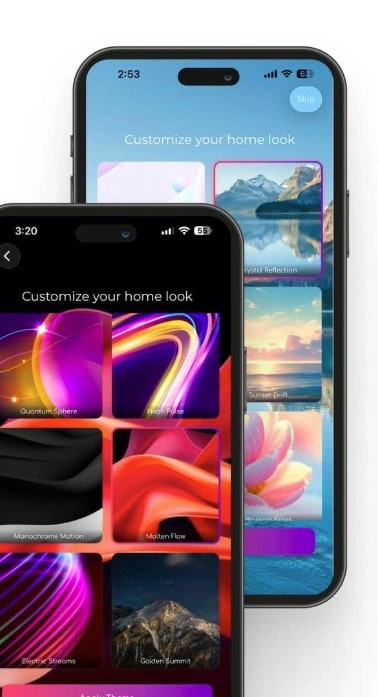
Theme customization for the Home Screen
Make the new tab page your own. Choose from curated themes and backgrounds, and design a home screen that fits your style.
How to customize
- Open a new tab in Power Browser.
- Tap the Customize icon on the home screen.
- Browse the available themes and backgrounds.
- Tap your selection to apply it instantly.
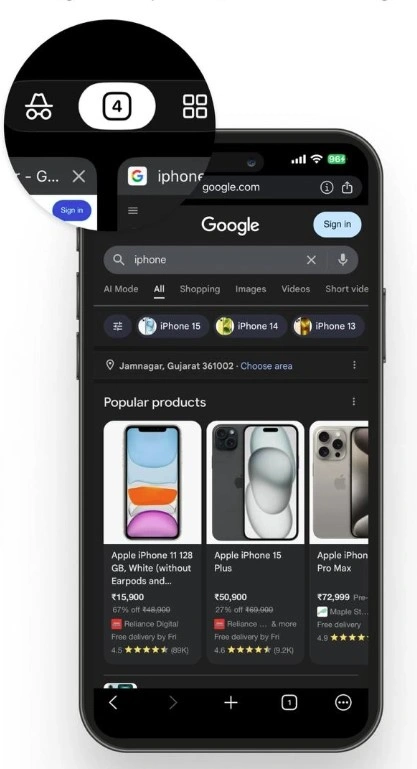
Normal & Incognito browsing modes
Go normal for everyday browsing, or switch to Incognito for private, secure sessions that leave no trace. Your choice — every time you open a tab.
How to open an Incognito tab
- Open Power Browser.
- Tap the tabs icon at the bottom of the screen.
- Toggle to Incognito mode at the top.
- Tap + to open a new private tab.
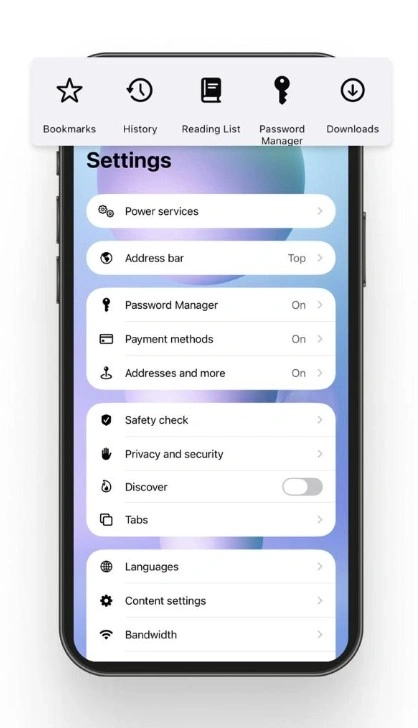
Privacy, passwords & downloads — in one place
Manage everything that matters from a single, intuitive App Settings panel. No buried menus, no guesswork — just total control over how Power Browser works for you.
- Privacy & Security
- Saved Passwords
- Downloads
- Default Search
- Site Permissions
- Notifications
How to access App Settings
- Open Power Browser.
- Tap the menu icon at the bottom right.
- Tap Settings.
Built for privacy and speed on mobile
Lightning-fast browsing
Optimized for mobile data and battery — pages load fast, scrolling stays smooth.
Private by default
Built-in tracker blocking and Incognito mode keep your browsing your business.
Truly yours
Light/Dark mode, custom themes, and a Home Screen that looks the way you want.
The roadmap for Power Browser iOS
-
Coming Soon
Power Wallet on iOS
A self-custodial multichain wallet, native to your mobile browser.
-
Coming Soon
AI Deep Research
Ask once, let your browser synthesize multi-source reports — on the go.
-
Planned
Power Points Rewards
Earn rewards for every minute you browse, just like on desktop.
-
Planned
DApps Store
Discover and use decentralized apps directly from your iPhone.
-
Planned
OpenClaw Sync
Connect your iPhone to your 24/7 background AI agent on desktop.
-
Exploring
Tor Window on iOS
True anonymity, when you need it most — coming to mobile.
Frequently asked questions
Power Browser for mobile
A fast, free, secure web browser for your phone — with built-in privacy protection, customizable themes, and the same agentic experience you love on desktop. Available for iOS and Android.